Claude Code is using too much memory on my Mac. What do I do?
Updated 7 October 2026
Each Claude Code session runs as its own process and keeps running until you exit it, along with any MCP servers, dev servers and tools it started. Sessions left open in other terminal tabs, editor panels or tmux add up quietly. Find them with pgrep -fl claude, see which project each belongs to, and exit the ones you're done with.
Why memory builds up
- Sessions you've moved on from are still running in a terminal tab, an editor's terminal panel or a tmux pane.
- What a session started: MCP servers, dev servers and test watchers it launched can outlive the task, and keep their memory and ports.
- Several tools at once: Claude Code, Codex, Gemini CLI and Cursor's agent each run their own processes.
Find your sessions
- In Terminal,
pgrep -fl claudelists Claude Code processes with their IDs. lsof -a -p <PID> -d cwdshows the folder (project) each one is working in.ps -o pid,etime,rss,command -p <PID>shows how long it has been running (etime) and its memory in KB (rss).- In Activity Monitor, search for the tool's name to see the same with a running total.
Close the ones you're done with
- Go to the session's terminal and type
/exit, which ends it cleanly. - If you can't find its terminal,
kill <PID>ends it. Don't do this while it's in the middle of editing files. - Check for anything it left behind:
lsof -nP -iTCP -sTCP:LISTENlists dev servers still holding ports (more).
Every AI session, by project
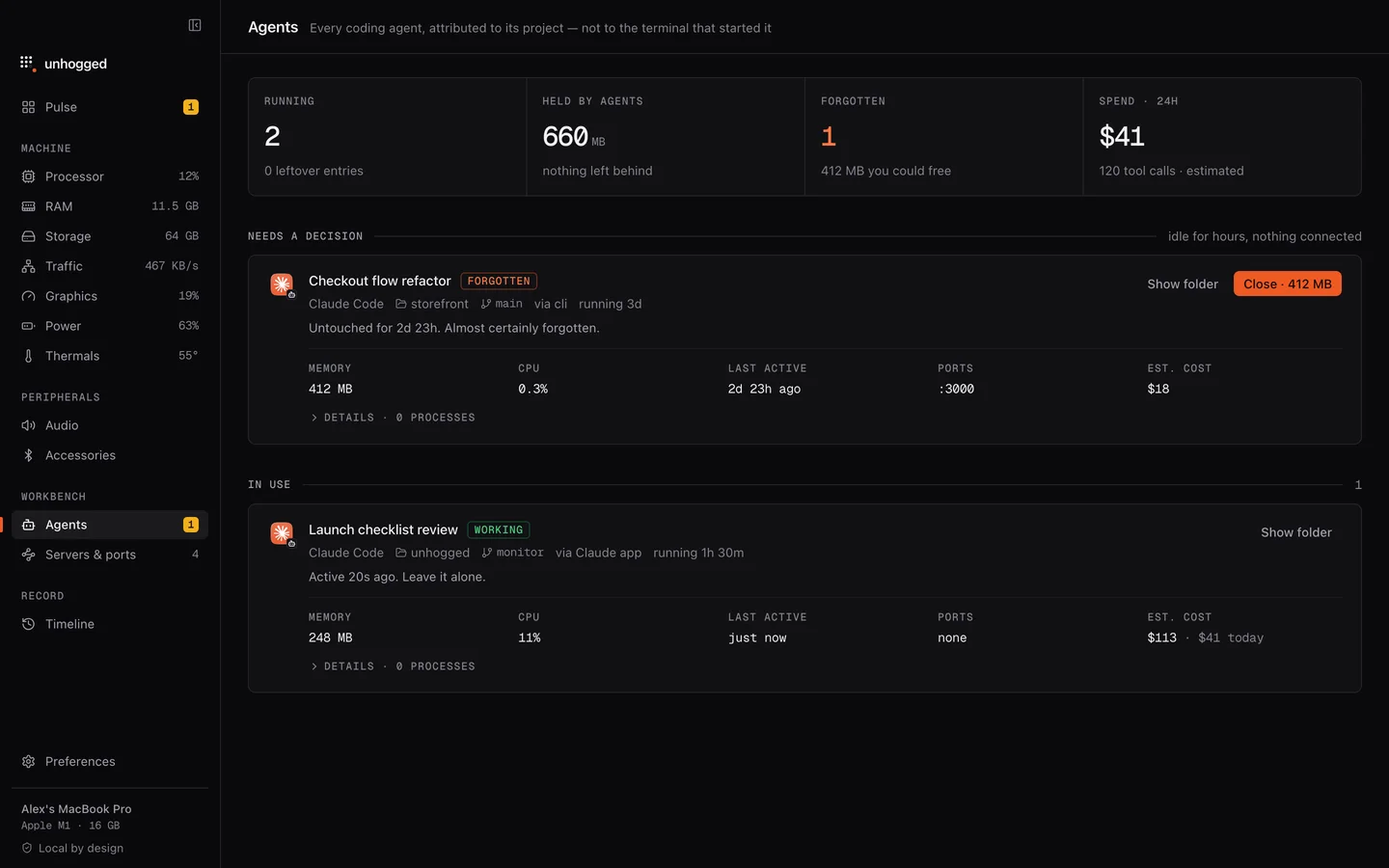
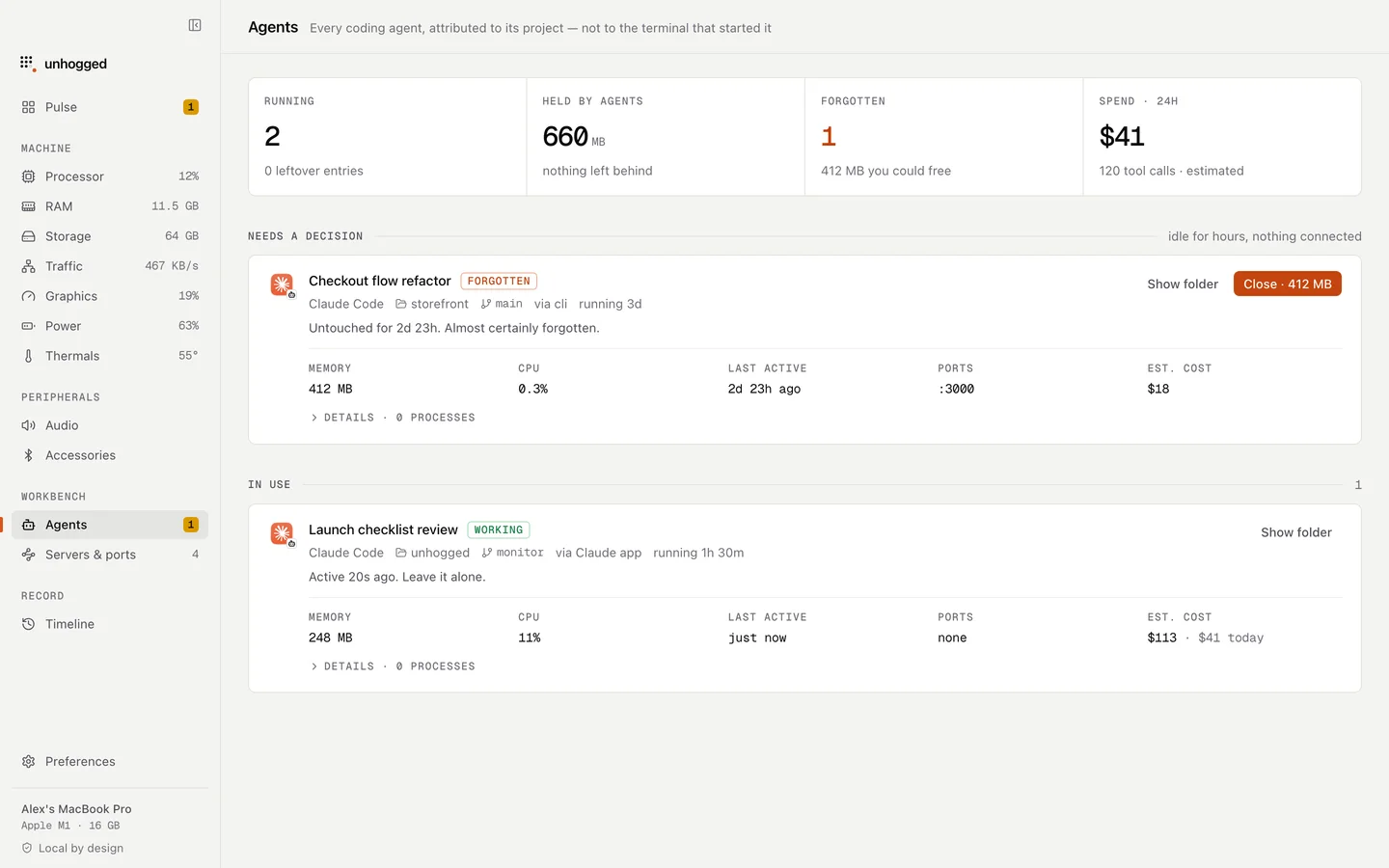
Unhogged lists Claude Code, Codex, Gemini, Cursor and Ollama sessions by project and branch, with memory, how long each has been quiet and an estimated cost. It flags sessions that look forgotten, and its Close button refuses while an agent is working, so you never cut one off mid-edit. Other monitors file all of this under Terminal or node.
One payment, 3 Macs. macOS 13 Ventura or later on Apple silicon.
Questions
Does closing the terminal stop Claude Code?
Closing the window usually ends the session. Sessions in tmux, in an editor's terminal or started in the background can keep running, so check with pgrep -fl claude.
Will I lose my conversation if I exit?
Claude Code keeps session history on disk, and claude --resume lets you pick a past session up again.
How much memory does a Claude Code session use?
It varies with the session and what it has started. Check with Activity Monitor or ps -o rss, and count the MCP and dev servers it launched as well.
Related
- nodeA Node.js program: often a dev server, build tool or MCP server.
- Port already in useEADDRINUSE on a Mac? Find what's holding port 3000 (or 5000, 8080) with one command, stop it safely, and…
- ollamaRuns AI models on your Mac.
- AI agentsSee every Claude Code, Codex, Gemini, Cursor and Ollama session by project and branch, with memory, idle…