The best Activity Monitor alternatives for Mac
Updated 8 October 2026
Activity Monitor is free but doesn't tell you what's wrong. The alternatives either show more numbers in your menu bar (iStat Menus, Stats), explain and fix (Unhogged, Vitals), or add clean-up tools (Sensei). The table compares them feature by feature. We make Unhogged, so every mark is something you can check on each app's own site, and where a site doesn't mention a feature we say so rather than mark it missing.
Feature by feature
| Feature |  Unhogged Unhogged |  Activity Monitor Activity Monitor |  iStat Menus iStat Menus |  Stats Stats |  Vitals Vitals |  Sensei Sensei |
|---|---|---|---|---|---|---|
| Price | $3.99 once, 3 Macs | Free, built in | One-time, 14-day trial | Free, open source | One-time | See its site |
| Runs on | macOS 13+, Apple silicon | Every Mac | macOS 11+ | macOS 12+ | macOS 15+, Intel and Apple silicon | Intel and Apple silicon |
| Apps instead of 900 processes | Process list | Top apps in its menus | – | – | ||
| Says what's wrong, in words | Numbers only | Alerts you set up | – | Insights | – | |
| Fixes it in one click | Quit, restart, free a port | Quit, force quit | – | – | Quit, force quit | – |
| AI coding agents by session | Idle time, cost | Process names only | – | – | – | – |
| Dev servers and ports, by project | Ports per process, via Inspect | – | – | – | ||
| History | 30 days, per app | Live only | Graphs | – | – | |
| Menu bar readouts | Dock icon graph | |||||
| Temperatures | Each part vs its limit | |||||
| Fan control | Speed shown | Legacy mode | – | –Speed shown | ||
| Accessory batteries | – | – | ||||
| Per-app volume | – | – | – | |||
| Which app is using the microphone | – | – | – | – | ||
| Works without a helper or admin approval | – | – | Helper for system processes | – | ||
| Clean-up tools | – | – | – |
App names and icons belong to their owners and are shown to identify each app. Unhogged isn't affiliated with any of them.
Prefer the Terminal? btop and htop are free (brew install btop): detailed and fast, with no menu bar, history or explanations.
Which one to choose
- You want to know why your Mac is slow and fix it: Unhogged.
- You write code or use AI coding tools: Unhogged.
- You want the most menu bar detail or fan control: iStat Menus.
- You want free and open source: Stats.
- You want clean-up tools in the same app, or use an Intel Mac: Sensei, which supports both Intel and Apple silicon.
- A quick look now and then is enough: Activity Monitor, already on your Mac.
Try the one that explains
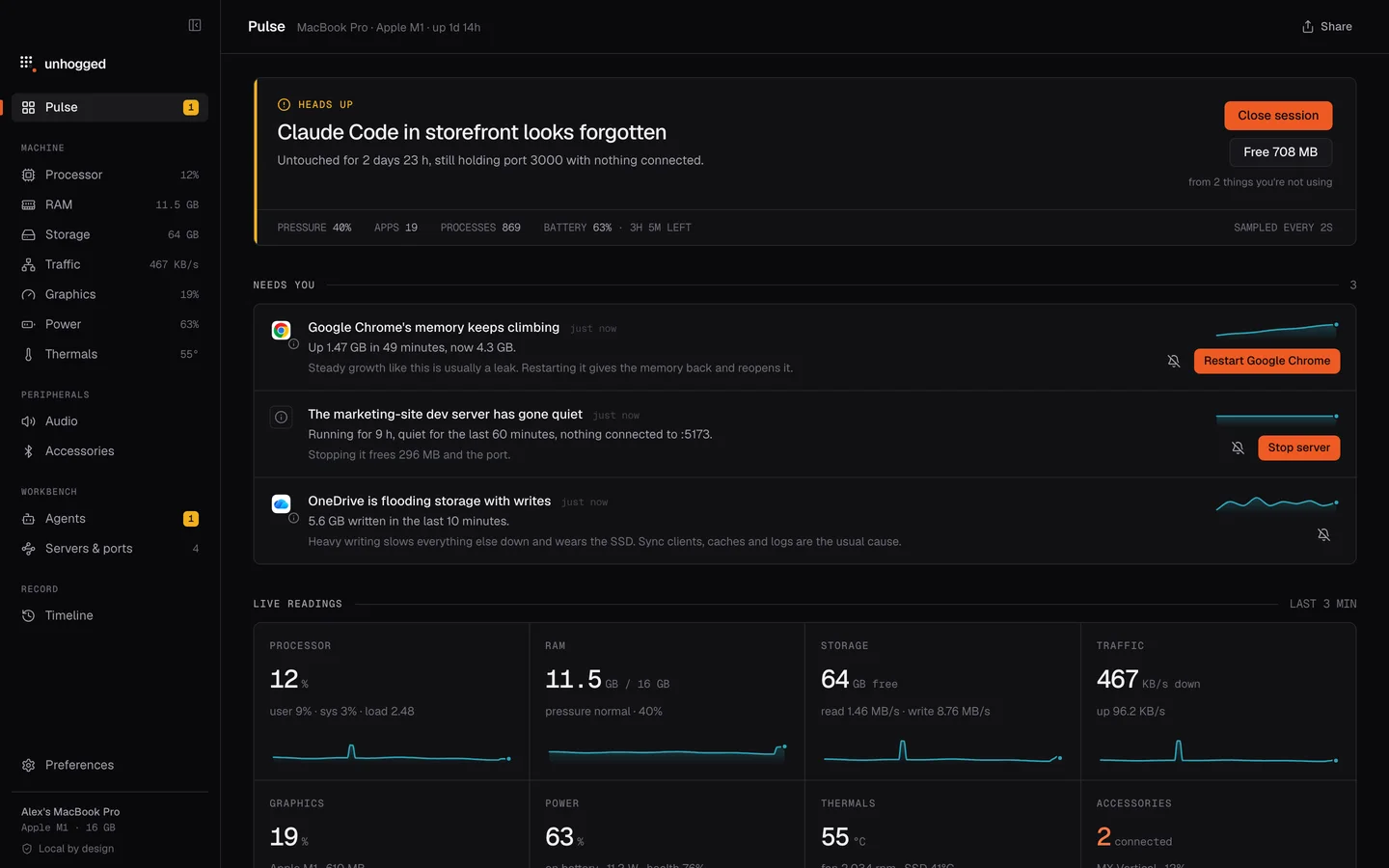
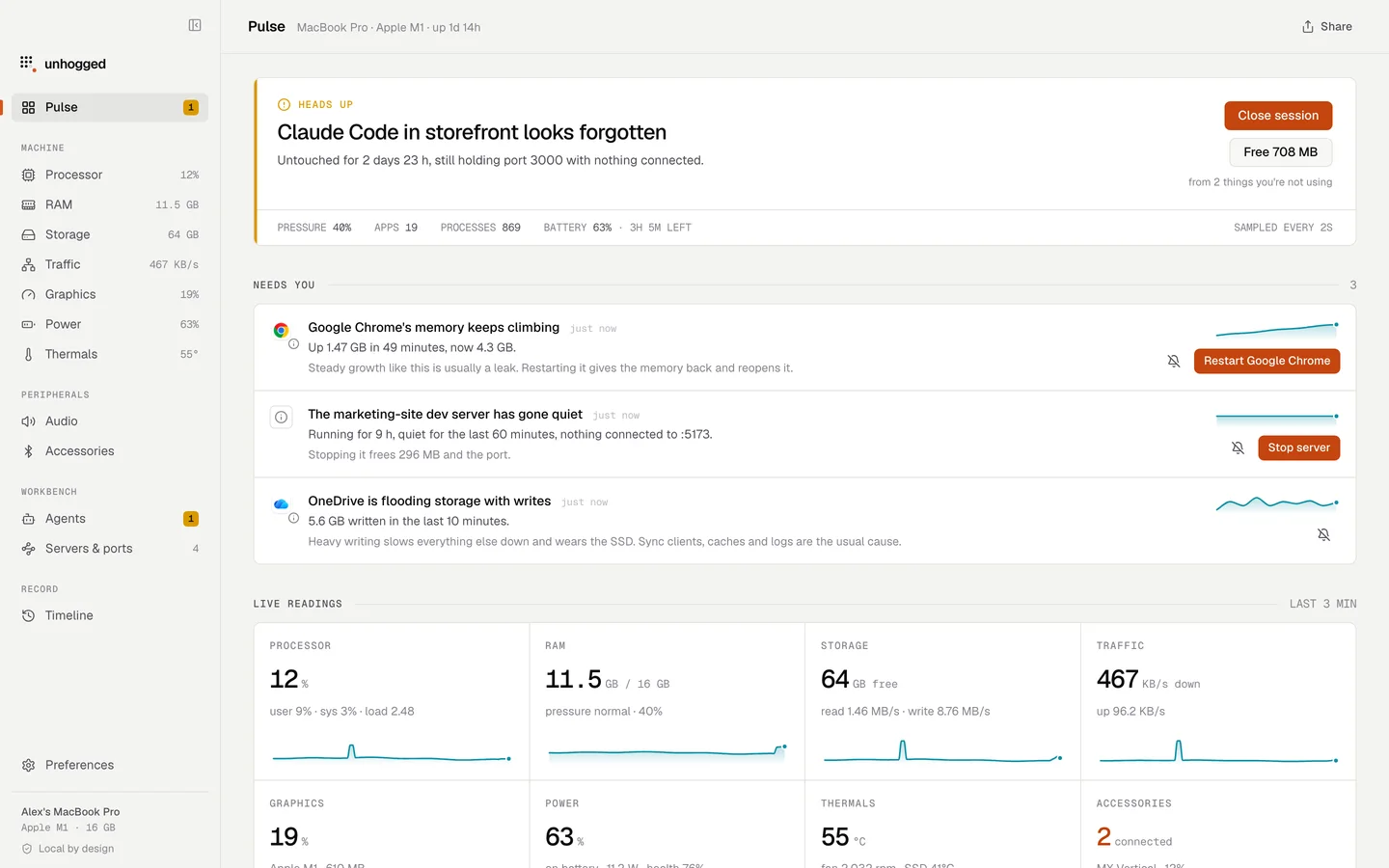
Unhogged is $3.99 once for 3 Macs, with a 14-day refund if it isn't for you. You can try the real interface on this site first, with demo data.
One payment, 3 Macs. macOS 13 Ventura or later on Apple silicon.
Questions
What is the best free Activity Monitor alternative for Mac?
Stats, which is free and open source, for menu bar monitoring; btop for the Terminal.
Is there a Task Manager for Mac?
Activity Monitor is the Mac's Task Manager (Applications › Utilities). The apps here add history, explanations, menu bar readouts or fixes.
Which is best for developers?
Unhogged is built for it: dev servers and ports by project, AI coding sessions with idle time and cost, and node processes named by what they're running.
Related
- Unhogged vs Activity MonitorActivity Monitor lists 900 processes; Unhogged tells you what's wrong and fixes it. What each does well,…
- Unhogged vs iStat MenusiStat Menus shows the most detail in your menu bar; Unhogged tells you what's wrong and fixes it. An…
- Unhogged vs StatsStats is a free, open-source menu bar monitor; Unhogged explains what's slowing your Mac and fixes it.…
- Unhogged vs VitalsVitals and Unhogged both show apps instead of processes, with insights, history and projects. Where they…