Every AI coding session on your Mac, by project
Updated 7 October 2026
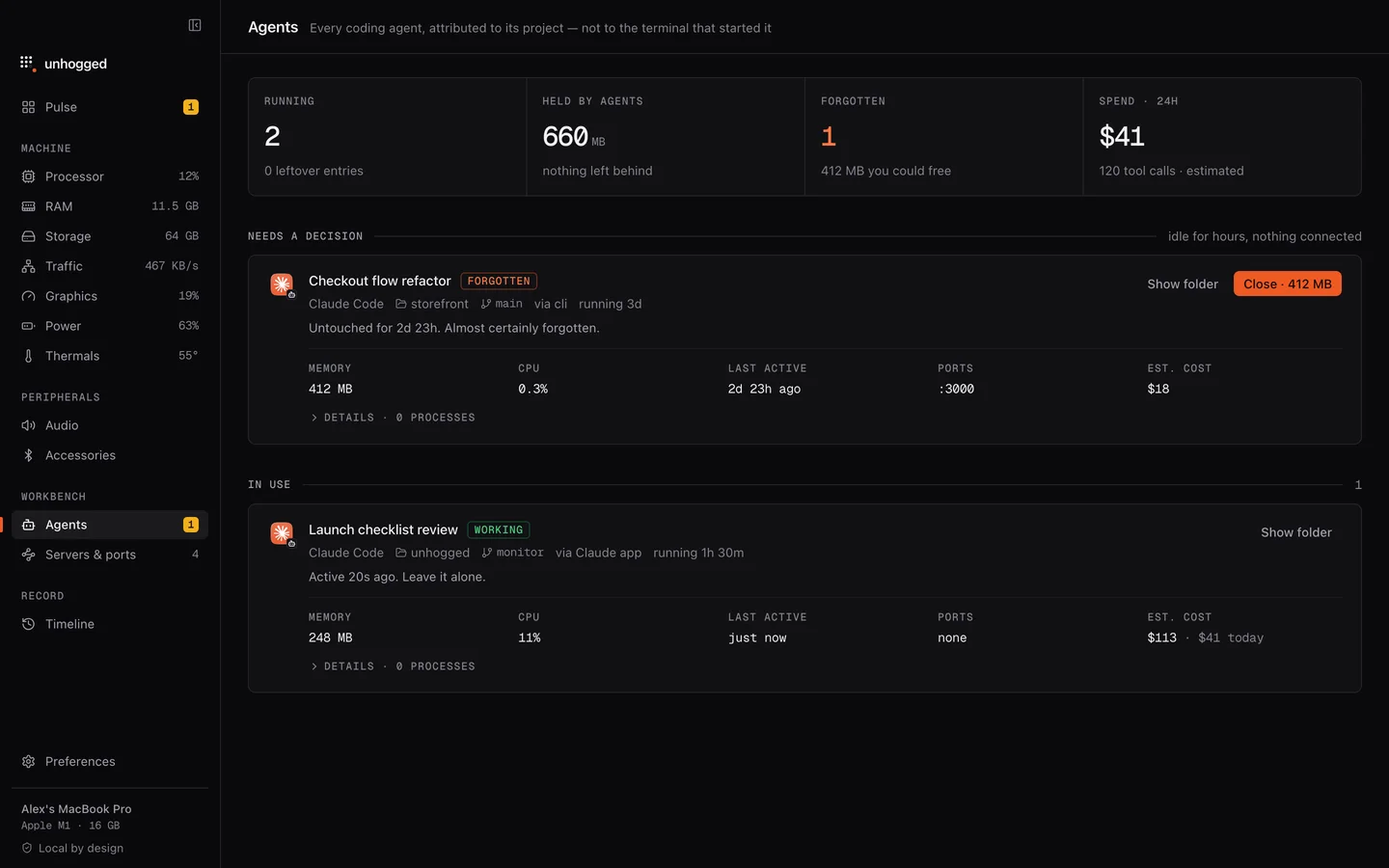
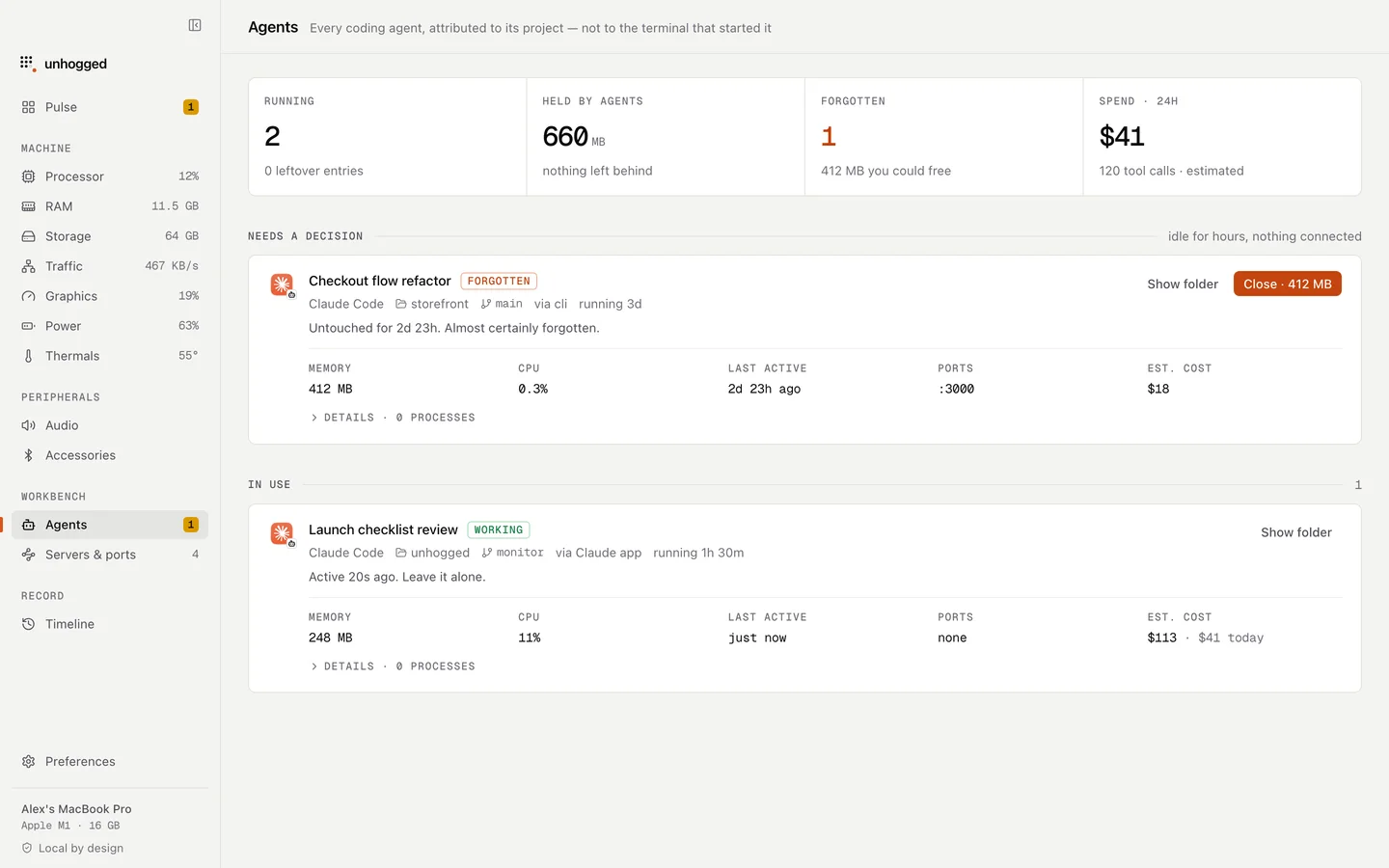
Activity Monitor files AI coding tools under Terminal or node. Unhogged recognises Claude Code, Codex, Gemini, Cursor and Ollama and shows each session by its project and branch, with its memory, how long it has been quiet, its ports and an estimated cost, and calls out the ones that look forgotten.
What you see
- Every session, named by project and branch, with the tool and where it was started.
- State: working, idle, quiet or forgotten, from how long it has been inactive.
- Memory and processor, including the servers and tools the session started.
- Ports each session holds, and estimated cost from its token use.
- Leftovers: processes from sessions that ended but left something running.
Closing safely
The Close button frees a forgotten session's memory and ports, and refuses while an agent is working, so you never cut one off mid-edit. Every action is previewed first and measured afterwards.
Find the sessions you forgot
$3.99 once for 3 Macs. Claude Code using too much memory?
One payment, 3 Macs. macOS 13 Ventura or later on Apple silicon.
Questions
Which AI tools does Unhogged recognise?
Claude Code, Codex, Gemini, Cursor and Ollama, plus MCP servers and dev servers they start.
Does it read my code or conversations?
No. It looks at the processes running on your Mac; nothing leaves your Mac.
Related
- Claude Code using too much memoryEvery open Claude Code session holds memory, and so do the MCP servers and dev servers it started. How to…
- nodeA Node.js program: often a dev server, build tool or MCP server.
- ollamaRuns AI models on your Mac.
- Servers & portsWhat's on :3000? Every dev server and port on your Mac by project, with live connections, idle servers…