Port 3000 is already in use on my Mac. How do I free it?
Updated 7 October 2026
Something is already listening on that port, usually a dev server you started earlier and forgot. Find it with lsof -nP -iTCP:3000 -sTCP:LISTEN in Terminal, then stop it with kill <PID>. On ports 5000 and 7000 it's often macOS's AirPlay Receiver, which you can turn off.
Find what's using the port
- Open Terminal and run
lsof -nP -iTCP:3000 -sTCP:LISTEN(change 3000 to your port). - The COMMAND and PID columns show the program and its process ID.
- To see its full command and folder:
ps -o pid,command -p <PID>andlsof -a -p <PID> -d cwd.
To list every port in use on your Mac: lsof -nP -iTCP -sTCP:LISTEN.
Stop it
- If you can find the terminal it's running in, press Control-C there.
- Otherwise,
kill <PID>asks it to stop cleanly. - Only if it ignores that,
kill -9 <PID>stops it at once (anything unsaved in it is lost). - If it comes straight back, something restarts it: a Docker container (
docker ps), a process manager like pm2, or your editor's run configuration.
Port 5000 or 7000? It's probably AirPlay Receiver
Since macOS Monterey, AirPlay Receiver listens on ports 5000 and 7000, and lsof shows it as ControlCenter. Turn it off in System Settings › General › AirDrop & Handoff › AirPlay Receiver, or run your app on another port.
Why it keeps happening
- Closing a terminal window doesn't always stop what was started from it, especially in tmux, in the background (
&) or from an editor. - Two projects default to the same port, so the second one finds it taken.
- A crashed dev tool can leave a child process (a bundler or watcher) behind, still holding the port.
Every port on your Mac, by project
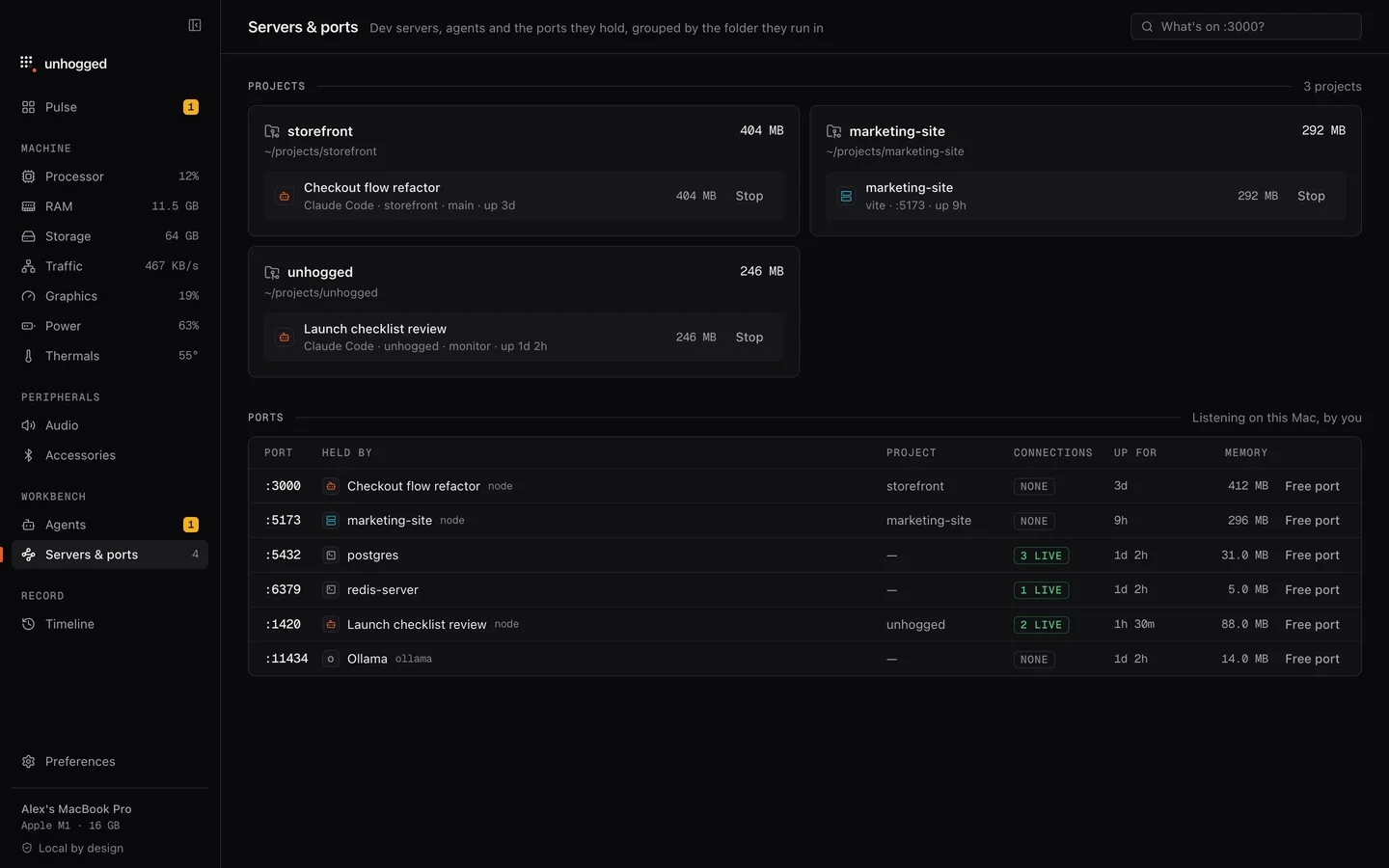
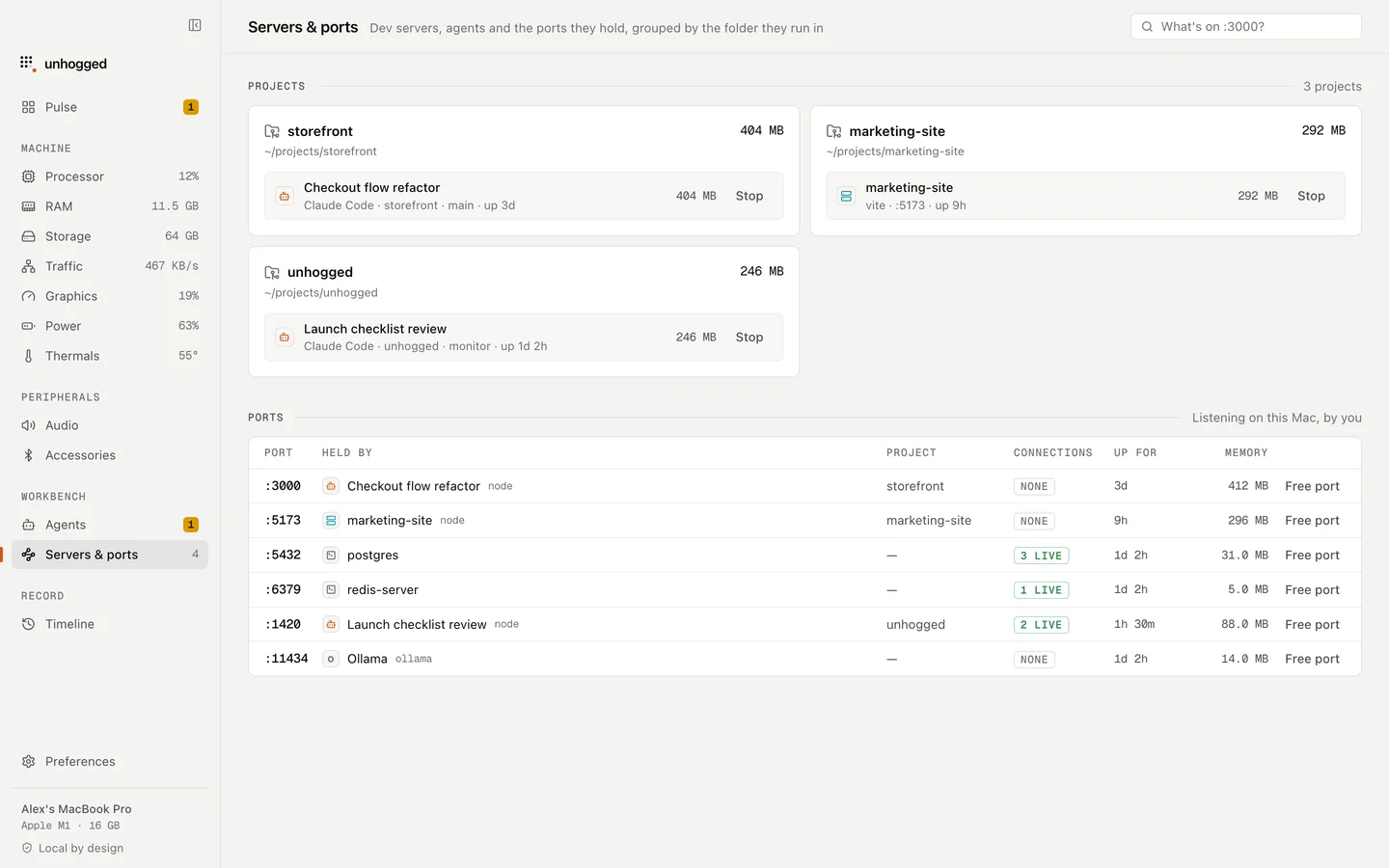
Unhogged's Servers & ports screen answers "what's on :3000?" with the project and command behind it and how many connections it has, calls out dev servers that have gone quiet, and stops one with a button that frees the port. It knows 5000 is AirPlay Receiver.
One payment, 3 Macs. macOS 13 Ventura or later on Apple silicon.
Questions
What does EADDRINUSE mean?
"Address already in use": another process is listening on the port your app wants. Free the port or choose another one.
Is it safe to kill the process on a port?
If it's a dev server you started, yes. Check the command first with ps -o command -p <PID> so you don't stop something you still need, like a database.
How do I kill whatever is on a port in one line?
kill $(lsof -t -iTCP:3000 -sTCP:LISTEN) stops everything listening on port 3000. Check what it is first if you're not sure.
Related
- nodeA Node.js program: often a dev server, build tool or MCP server.
- Claude Code using too much memoryEvery open Claude Code session holds memory, and so do the MCP servers and dev servers it started. How to…
- Servers & portsWhat's on :3000? Every dev server and port on your Mac by project, with live connections, idle servers…
- Why is my Mac slow?A Mac slows down for five reasons: memory, one busy app, heat, a full disk or background work. How to tell…