What's on port 3000? Every port on your Mac, by project
Updated 7 October 2026
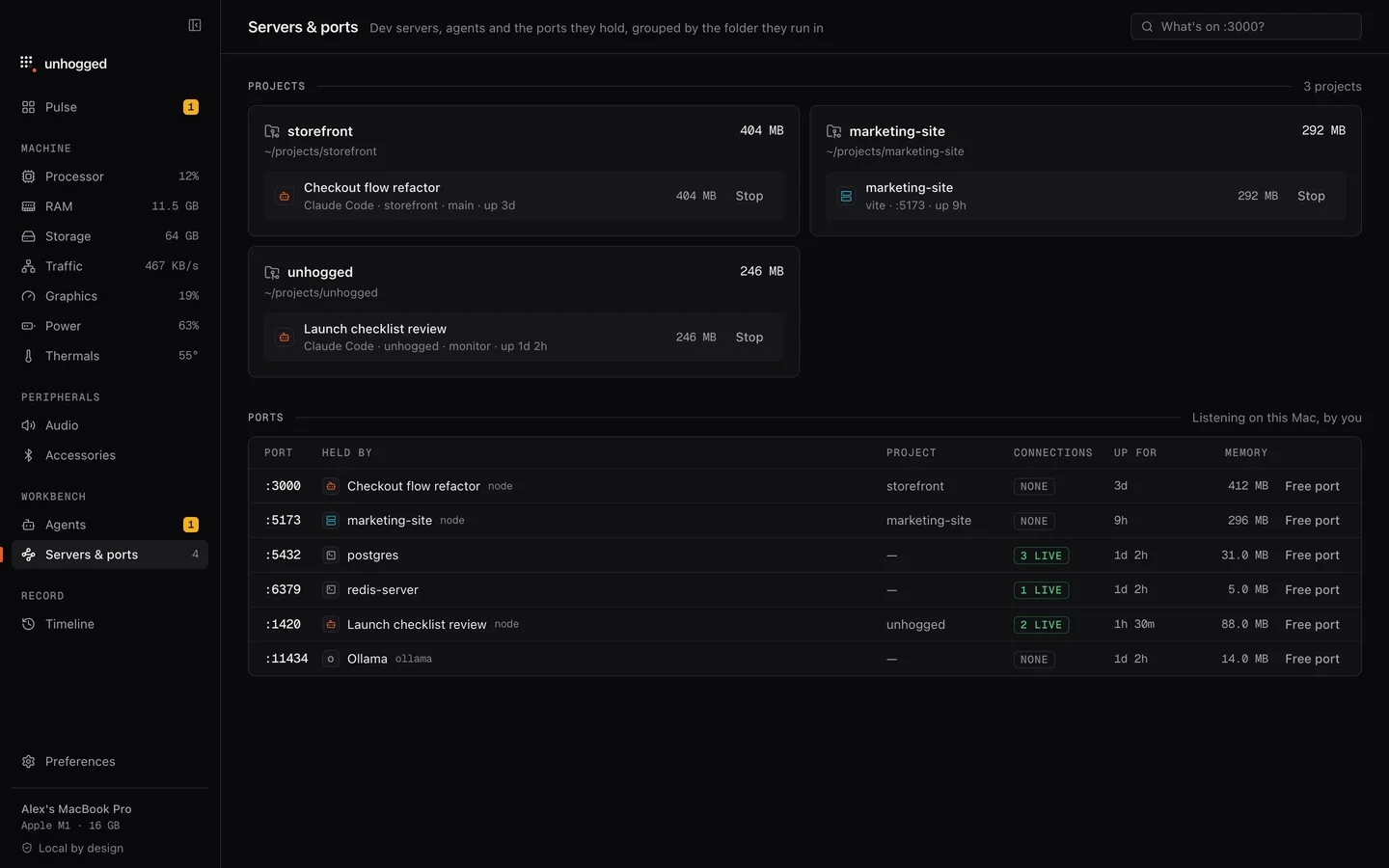
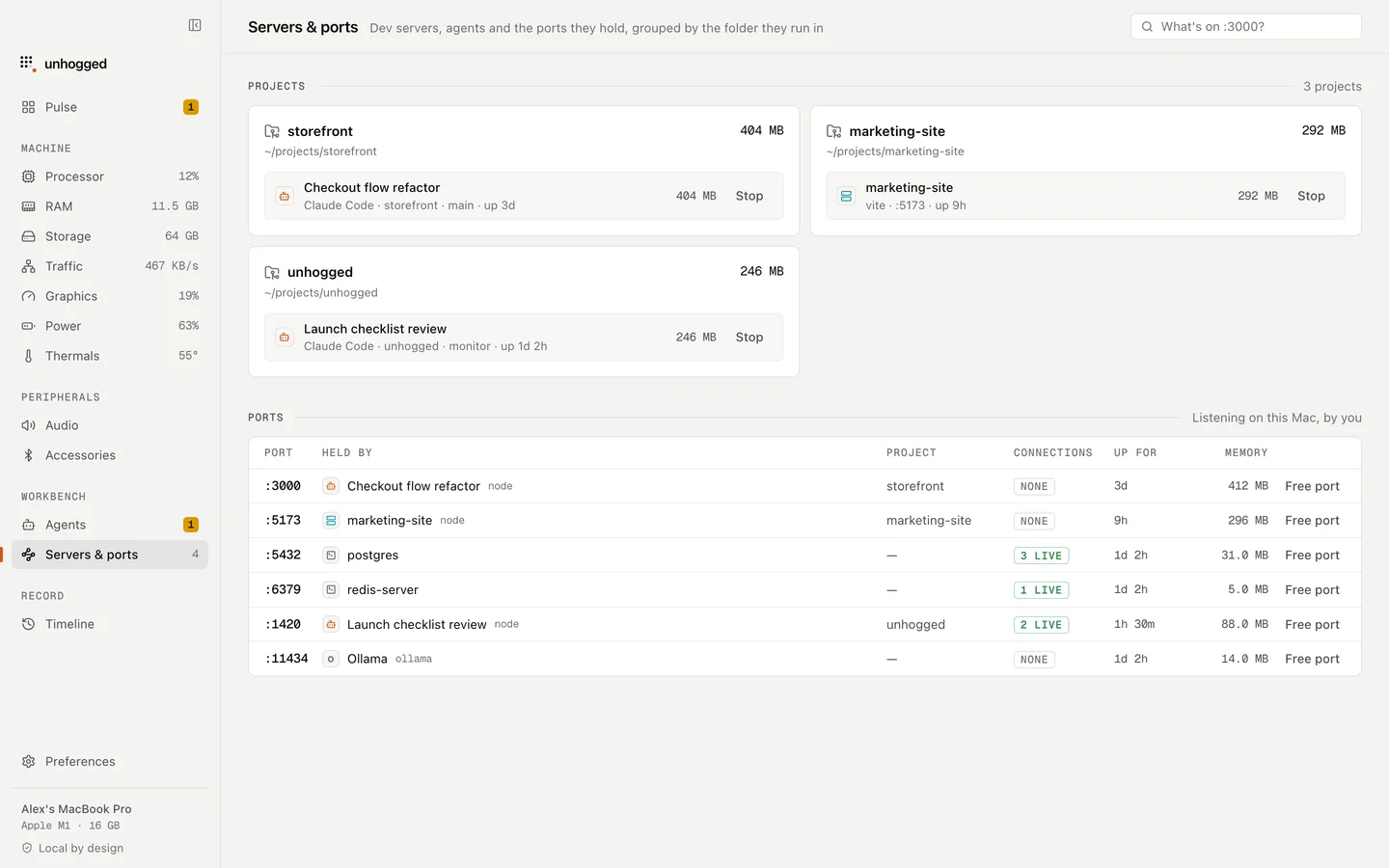
Unhogged lists every server listening on your Mac with its port, the project and command behind it, and how many connections it has right now. Dev servers that have gone quiet are called out, and one click stops a server and frees its port.
What you see
- Each port, with the program, project folder and command.
- Live connections, so you can tell a server you're using from one that's idle.
- macOS's own ports labelled, like AirPlay Receiver on 5000 and 7000.
- Idle dev servers flagged, with the memory they hold.
With Unhogged
Free the port in one click
$3.99 once for 3 Macs. Port already in use?
One payment, 3 Macs. macOS 13 Ventura or later on Apple silicon.
Questions
How do I see ports without an app?
lsof -nP -iTCP -sTCP:LISTEN in Terminal lists every listening port. More.
Related
- Port already in useEADDRINUSE on a Mac? Find what's holding port 3000 (or 5000, 8080) with one command, stop it safely, and…
- nodeA Node.js program: often a dev server, build tool or MCP server.
- AI agentsSee every Claude Code, Codex, Gemini, Cursor and Ollama session by project and branch, with memory, idle…
- Unhogged vs Activity MonitorActivity Monitor lists 900 processes; Unhogged tells you what's wrong and fixes it. What each does well,…