Unhogged vs Activity Monitor
Updated 8 October 2026
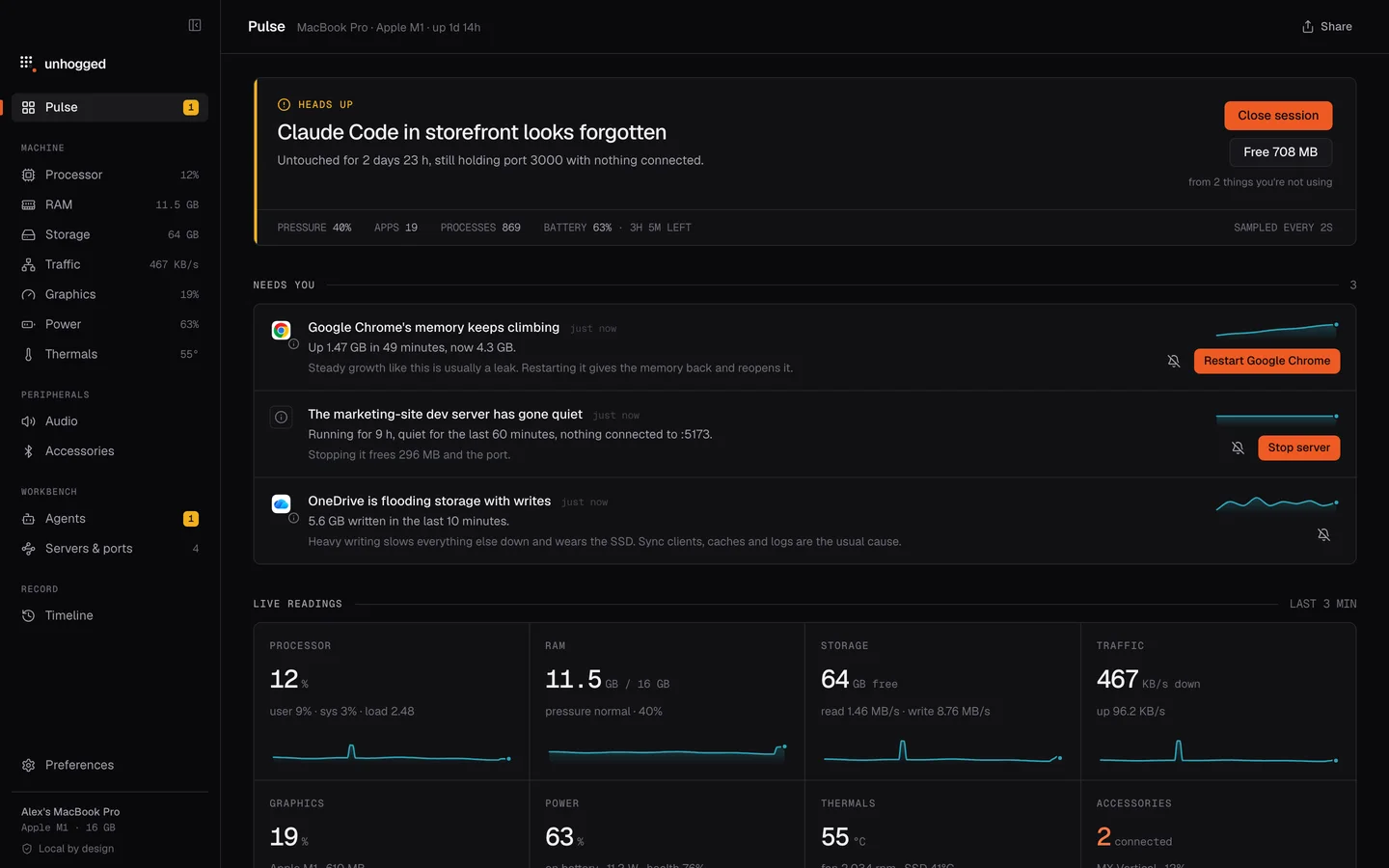
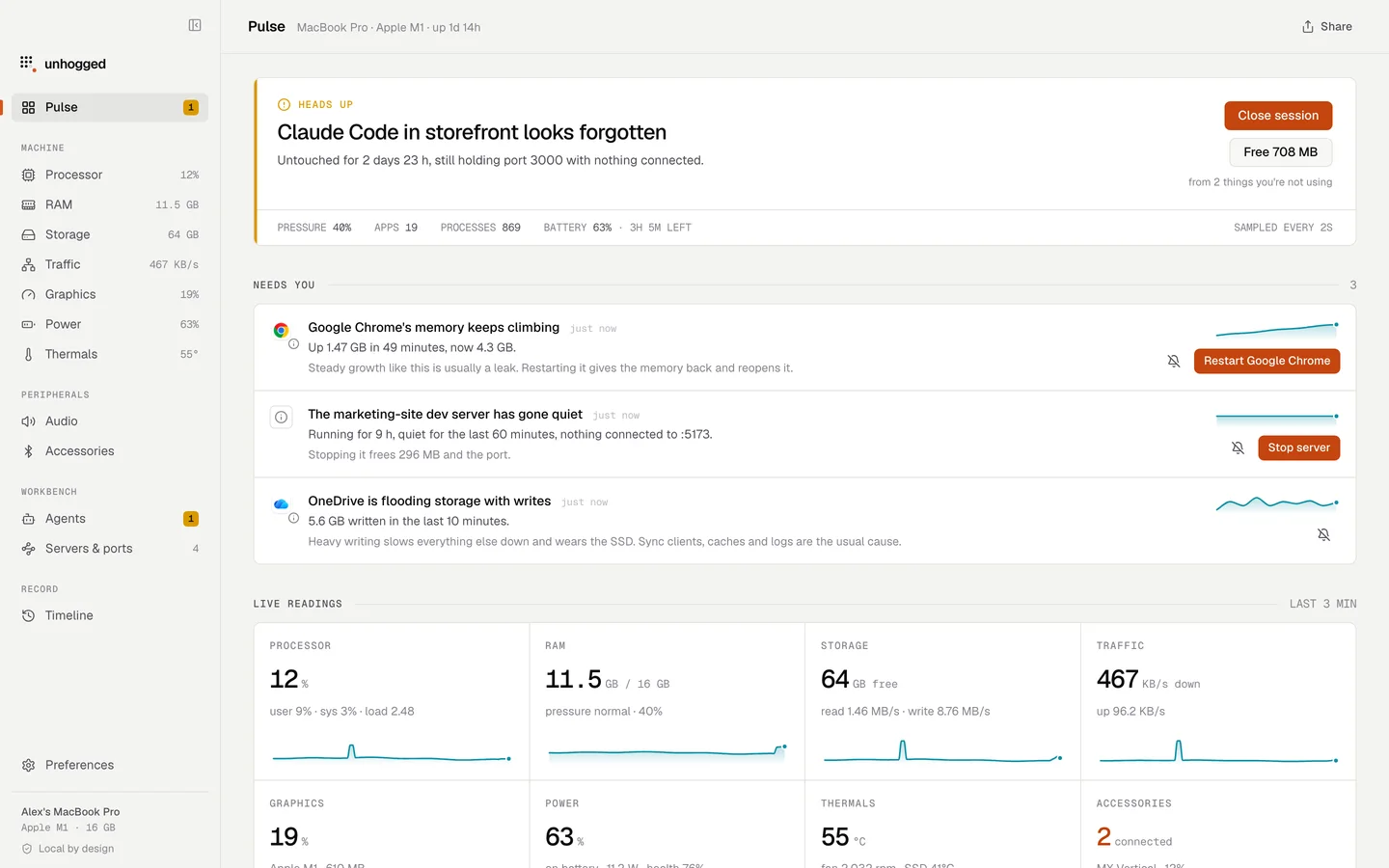
Activity Monitor comes with every Mac and shows every process. It doesn't read the numbers for you. Unhogged does: apps instead of processes, what's wrong in a sentence, the fix in one click, and 30 days of history. Many people use both.
Feature by feature
| Feature |  Unhogged Unhogged |  Activity Monitor Activity Monitor |
|---|---|---|
| Price | $3.99 once for 3 Macs | Free, built in |
| Runs on | macOS 13+, Apple silicon | Every Mac |
| Apps instead of 900 processes | Process list | |
| Says what's wrong, in words | Numbers only | |
| Fixes it in one click | Quit, restart, free a port | Quit, force quit |
| Shows what a fix freed | Expected vs measured | |
| History | 30 days, per app | Live only |
| AI coding agents by session | Idle time, cost | Process names only |
| Dev servers and ports, by project | Ports per process, via Inspect | |
| Temperatures and fan speed | ||
| Per-app volume and microphone | ||
| Menu bar readouts | Dock icon graph | |
| Energy per app | 12-hour power | |
| Inspect one process in depth | Processes per app, explained | Sample, open files, threads |
App names and icons belong to their owners and are shown to identify each app. Unhogged isn't affiliated with any of them.
Which one to choose
- Activity Monitor if a quick look now and then is enough, or you need to dig deep into one process
- Unhogged if you want to know what's wrong and fix it, see what happened earlier, or you write code or use AI coding tools
Activity Monitor, read for you
Unhogged runs quietly in your menu bar and tells you when something needs you, in a sentence, with the button to fix it. $3.99 once for 3 Macs, with a 14-day refund.
One payment, 3 Macs. macOS 13 Ventura or later on Apple silicon.
Questions
Does Unhogged replace Activity Monitor?
For everyday use, yes. For deep debugging of one process (sampling, threads), Activity Monitor is still there and works alongside it.
Does Unhogged need admin access to see system processes?
No. It measures every process, including macOS's own, without installing a helper or asking for a password.
Related
- Best Activity Monitor alternativesUnhogged, iStat Menus, Stats, Vitals, Sensei and btop compared: what each is best at, what it costs and…
- Why is my Mac slow?A Mac slows down for five reasons: memory, one busy app, heat, a full disk or background work. How to tell…
- Mac processes explainedWhat every process in Activity Monitor is, and what to do about it.
- Unhogged vs iStat MenusiStat Menus shows the most detail in your menu bar; Unhogged tells you what's wrong and fixes it. An…