A menu bar system monitor that tells you when to look
Updated 7 October 2026
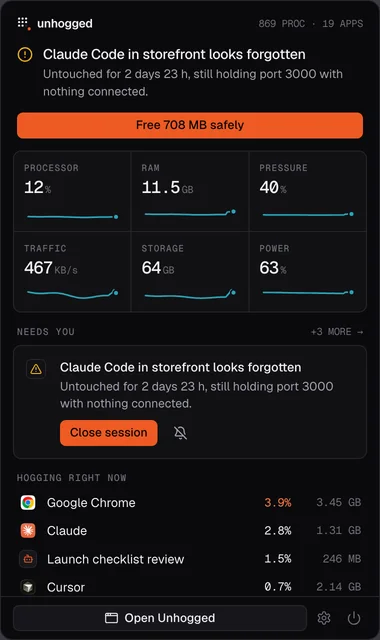
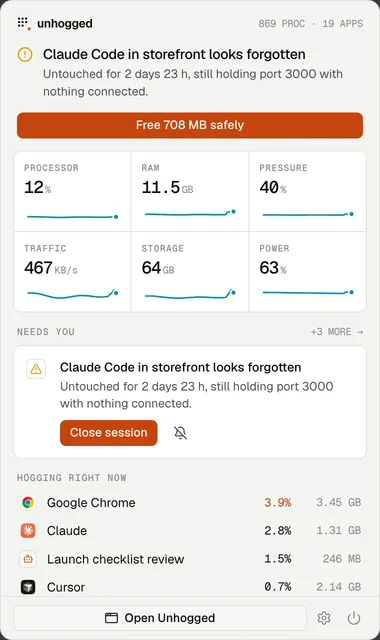
Choose which readings sit in your menu bar (processor, memory, pressure, network, disk, graphics, battery, temperature, fan, and memory you could free) in one item or one each, as numbers, live graphs or both. Click it for a dropdown with the verdict, live readings and what's using the most. A mark lights up when something needs you.
What you see
- Readings your way: pick, order and combine them.
- The dropdown: how your Mac is doing in a sentence, with the fix one click away.
- Light on your Mac: it samples every 2 seconds while you're looking and every 5 while you're not.
With Unhogged
Your Mac, at a glance
$3.99 once for 3 Macs.
One payment, 3 Macs. macOS 13 Ventura or later on Apple silicon.
Questions
Can I hide the readings and keep just the icon?
Yes. The icon alone still lights up when something needs you.
Related
- Unhogged vs iStat MenusiStat Menus shows the most detail in your menu bar; Unhogged tells you what's wrong and fixes it. An…
- Unhogged vs StatsStats is a free, open-source menu bar monitor; Unhogged explains what's slowing your Mac and fixes it.…
- ThermalsSee every part of your Mac (cores, graphics, storage, battery) with its temperature, its limit and a plain…
- Best Activity Monitor alternativesUnhogged, iStat Menus, Stats, Vitals, Sensei and btop compared: what each is best at, what it costs and…